
The CareO’Clock Home Care Portal for Halifax and Nova Scotia Families
Create a free account, book home care online at any hour, and follow every visit from one secure place. The Home Care Portal gives families in Halifax and the Halifax Regional Municipality clear visibility into care, from booking to check-out and care notes.
Same account works in your browser and in the CareO’Clock app on Android.
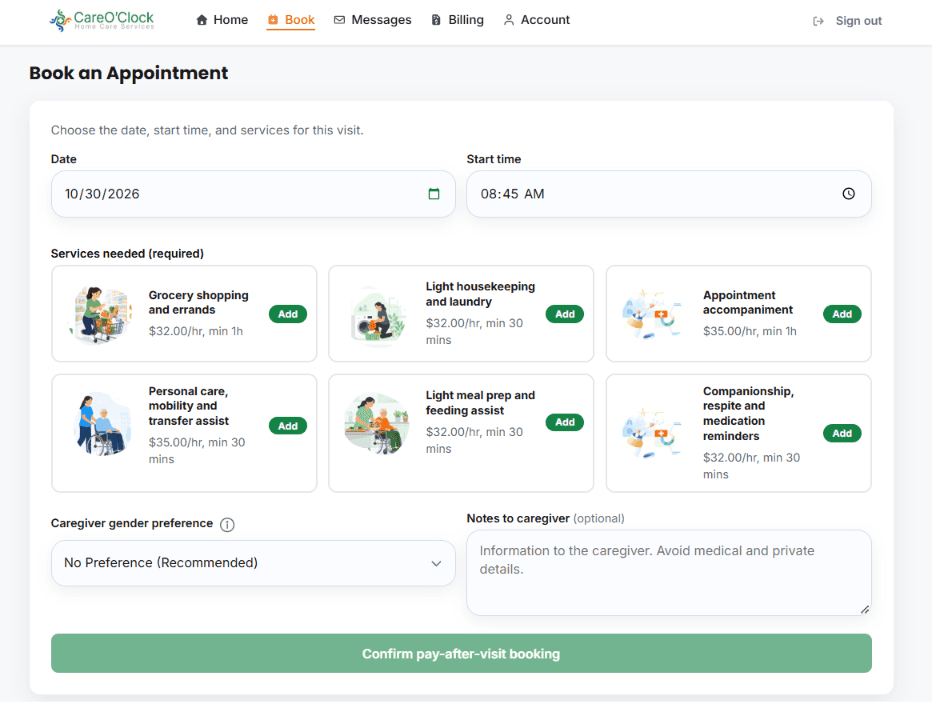
How the Home Care Portal works
Confirm your area
Create a free account and care profile, then check coverage for your address in Halifax and nearby communities.
Choose services and a time
Select companionship, respite, shower and standby assist, meals, housekeeping, errands, medication reminders and more, then pick a date and time.
Book and follow care
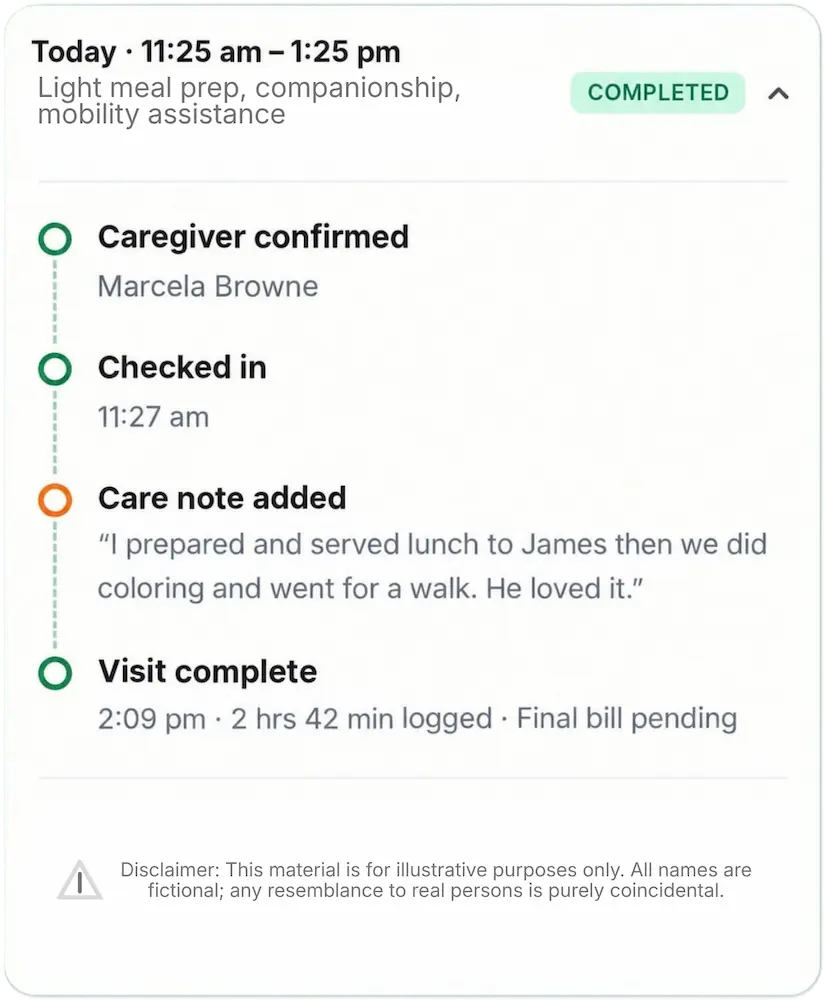
Receive confirmations and reminders, see digital check-in and check-out, care notes, messages and billing history in one place.
What you can do inside the portal
Free account and care profile
Set up your account and the care details for yourself or a family member in a few steps.
Check coverage
See whether CareO’Clock serves your address before you book.
Choose services
Companionship, respite care, shower and standby assist, meal preparation, housekeeping, errands, medication reminders and more services.
Book any hour
Choose a date and time online when it suits you. No need to wait for office hours.
Reminders and updates
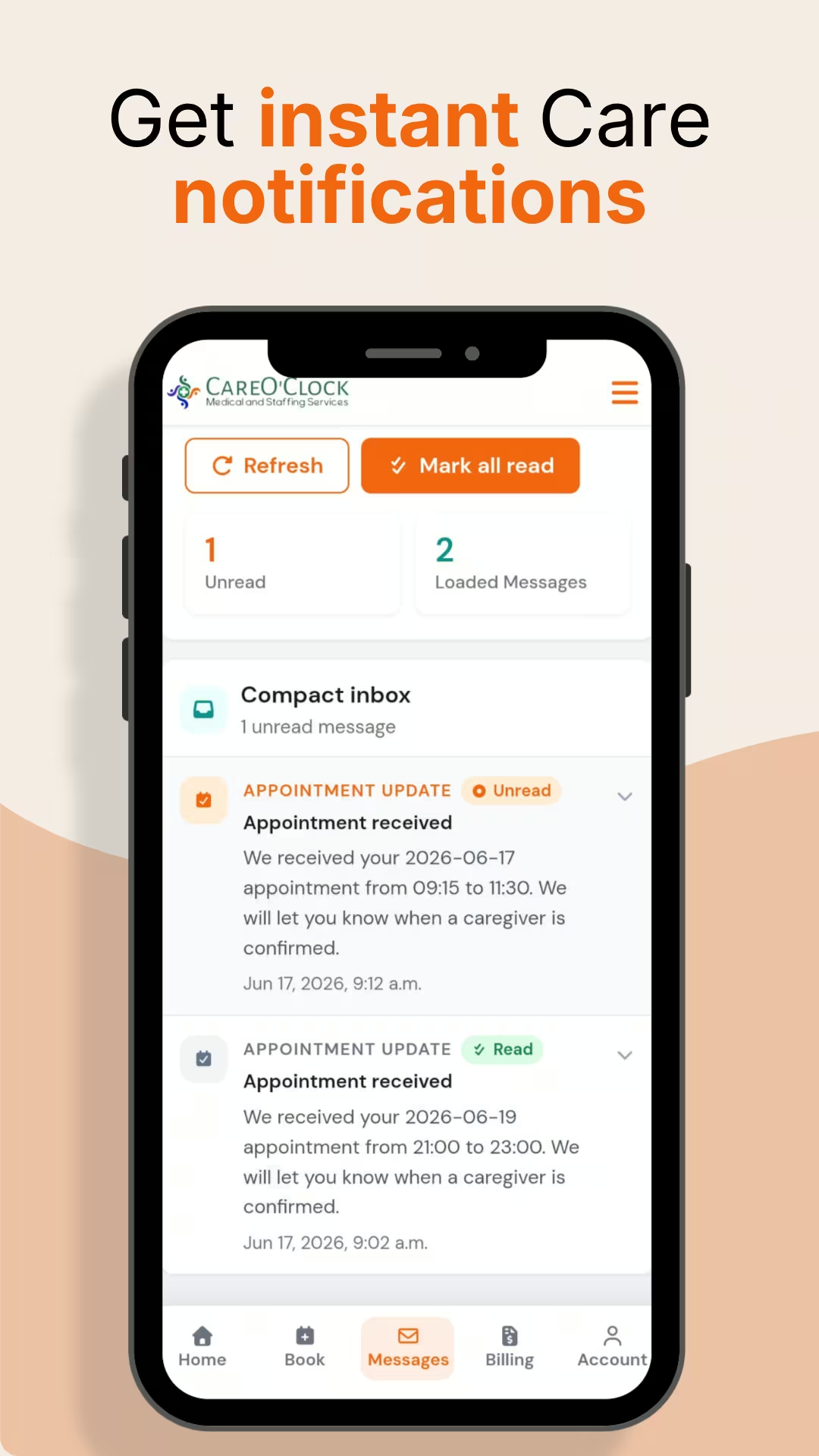
Booking confirmations, reminders, caregiver updates and schedule changes stay in one place.
Documented care
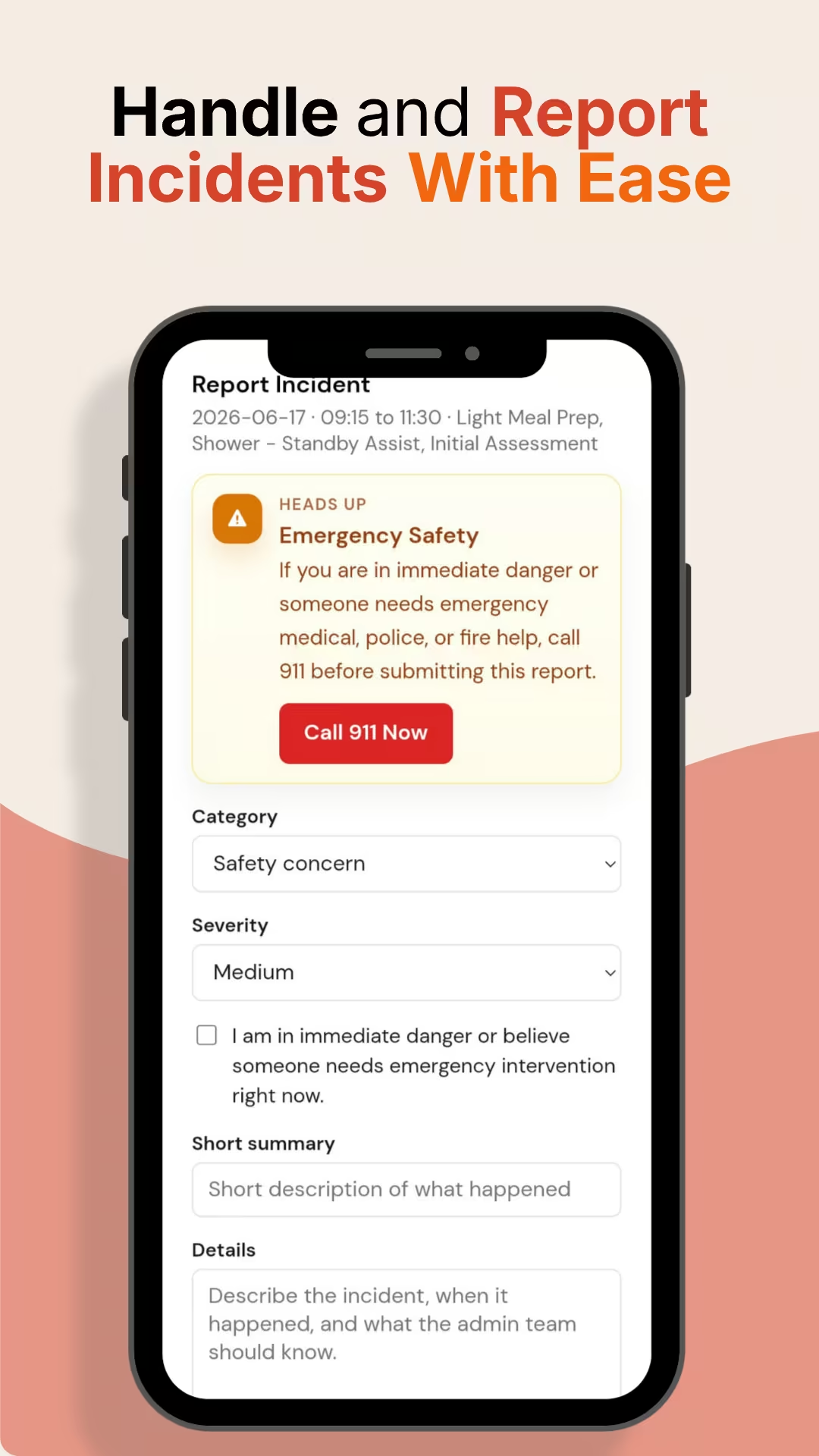
Live visit visibility with digital check-in and check-out, care notes, messages, visit history, billing history, post-visit ratings and incident reporting.
Portal versus the traditional phone-and-paper model
One place for bookings, visit status, care notes and billing, so the whole family stays informed.
Long-distance family visibility
When you live in another city or province, the Home Care Portal shows operational visibility into every visit: who the caregiver is, when they check in and check out, and the care notes left after the visit.
- Clear appointment status so you know what is booked and what has taken place
- Digital check-in and check-out times for each visit
- Incident reporting that creates a documented record you can review
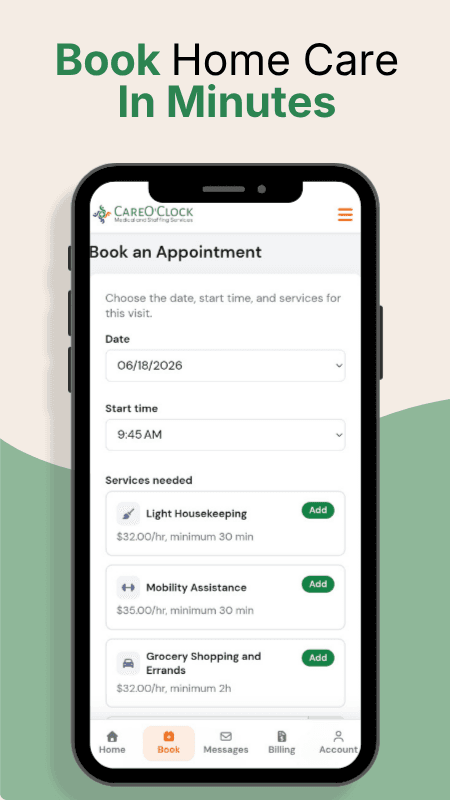
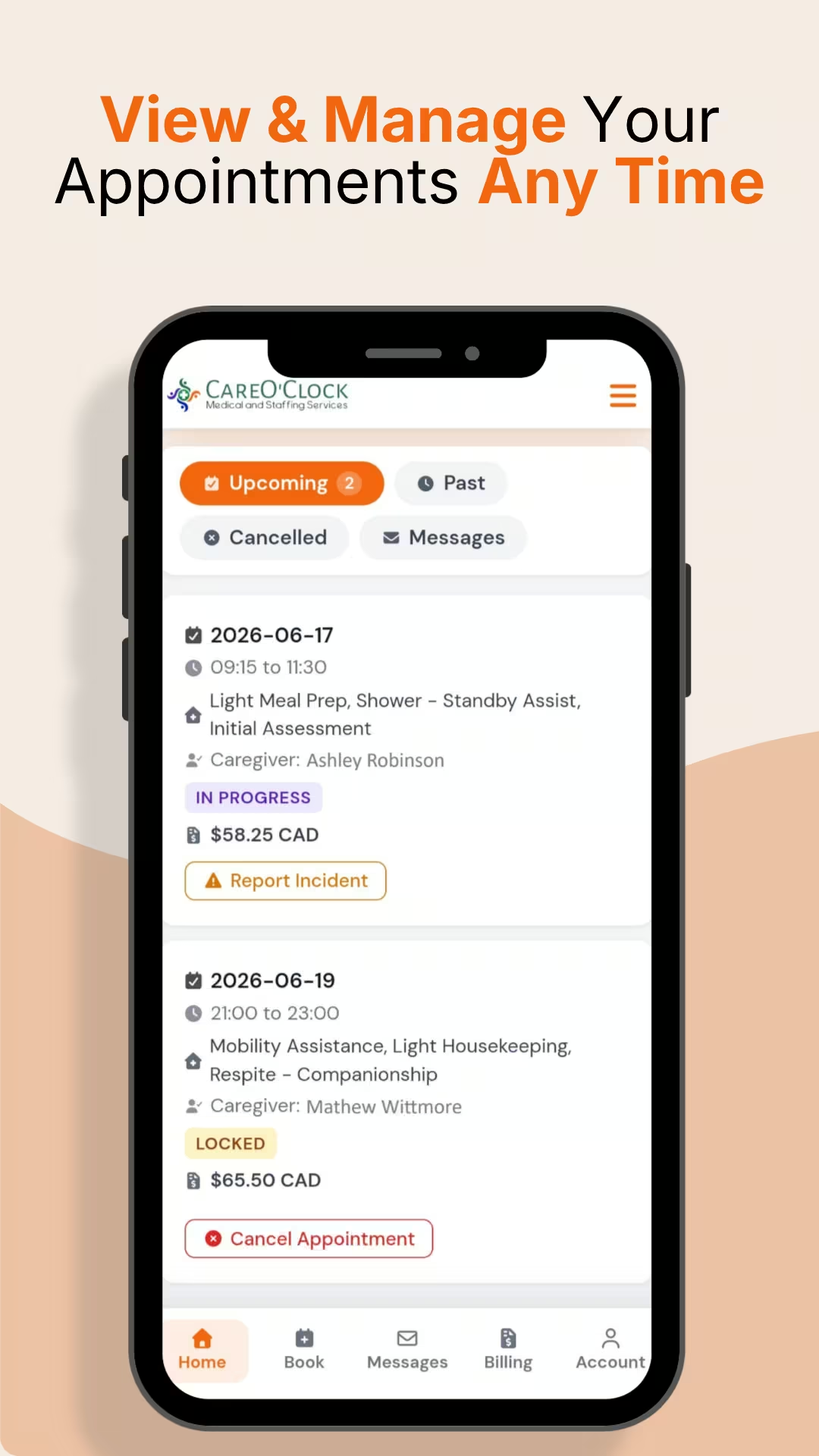
Home Care Portal on your phone
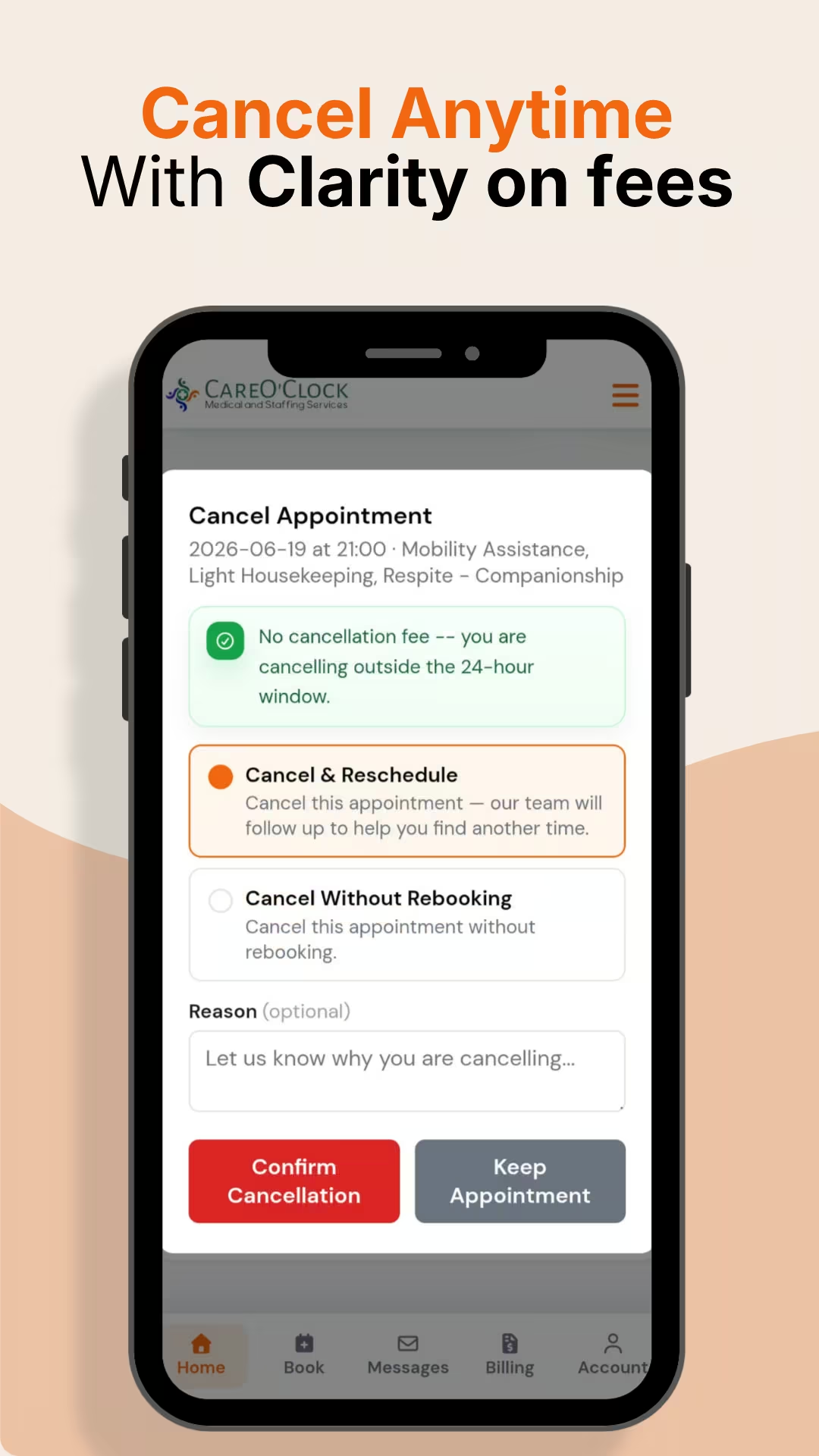
These screens show the portal experience in a mobile browser or the CareO’Clock app. You use the same account and the same bookings either way.
Trust and safety
Vetted caregivers
Caregivers provide a valid police background check and vulnerable sector check, obtained from a Nova Scotia police station within 2 months of applying. Learn more about caregiver vetting and safety.
Three caregiver levels
Sitter, Continuing Care Assistant in Training, and Certified Continuing Care Assistant, matched to the services you book.
Secure payments and privacy
Payments go through PayPal’s secure system. See our data protection and privacy policy.
Ways to access the Home Care Portal
Any browser
Open app.careoclock.ca on a computer, tablet or phone. Create an account, book care and follow visits from any modern browser.
Book Online NowAndroid app
Install the CareO’Clock app from Google Play for the same account, bookings and visit tracking. Details on the Android app on Google Play page.
Get it on Google PlayiPhone and iPad users use the full Home Care Portal in Safari or any browser. There is no separate iOS app.
Home care across Halifax and nearby communities
The Home Care Portal serves families in Halifax, Dartmouth, Bedford and communities across the Halifax Regional Municipality. Choose your area to learn more, or see the full list of locations.
Frequently asked questions
What is the CareO’Clock Home Care Portal?
The Home Care Portal is the web-based service at app.careoclock.ca where you create a free account, book home care, track visits with digital check-in and check-out, read care notes, message about care, see visit and billing history, rate visits and report incidents. It is the main way families in Halifax and the Halifax Regional Municipality manage CareO’Clock home care online.
Do I need the CareO’Clock app to use the portal?
No. You can use the full Home Care Portal in any modern browser on a computer, tablet or phone. The CareO’Clock app is optional and available only on Android via Google Play. iPhone and iPad users use the portal in their browser.
Is the portal the same account as the Android app?
Yes. You use the same account, the same bookings and the same visit tracking in the browser and in the CareO’Clock app. Changes you make in one place appear in the other.
Can I use the portal on an iPhone or iPad?
Yes. Open app.careoclock.ca in Safari or any browser on your iPhone or iPad. There is no separate iOS app. The full portal works in the browser.
Can I book home care for a parent?
Yes. Create a free account and a care profile for the person who needs care. You can book services, receive updates, see check-in and check-out times, and review care notes from your own login.
How are caregivers vetted?
Caregivers provide a valid police background check and vulnerable sector check, obtained from a Nova Scotia police station within 2 months of applying. CareO’Clock matches caregivers to the services you book at one of three levels: Sitter, Continuing Care Assistant in Training, or Certified Continuing Care Assistant.
What happens if a caregiver does not show up?
The portal shows clear appointment status and digital check-in times. If a visit does not take place as expected, you can see the status in the portal and contact the team. Incident reporting creates a documented record when you need one.
Which areas does the portal serve?
CareO’Clock serves Halifax, Dartmouth, Bedford, Lower Sackville, Cole Harbour, Fall River, Eastern Passage, Clayton Park, Timberlea, Hammonds Plains and nearby communities in the Halifax Regional Municipality. You can check coverage for your address when you create an account.
Is my data safe in the portal?
Payments go through PayPal’s secure system. CareO’Clock maintains a data protection and privacy policy that explains how information is handled. You can read it at careoclock.ca/data-protection.
How do I get help with the portal?
If you need help creating an account, booking, or understanding visit information, contact the CareO’Clock team through the contact page at contact page
Start with the Home Care Portal
Create a free account, check coverage in your area, and book home care online for Halifax and the Halifax Regional Municipality.
Prefer to talk it through? Contact our team